LaserPad icon

LaserPad

Laser measurement on every iPad.

LaserPad pairs an iPad with a Leica DISTO laser rangefinder and puts the distance in front of everyone who needs it. One iPad acts as field controller connected to the laser over Bluetooth; every distance taken is broadcast over WiFi to as many viewer displays (other iPads) as you want.

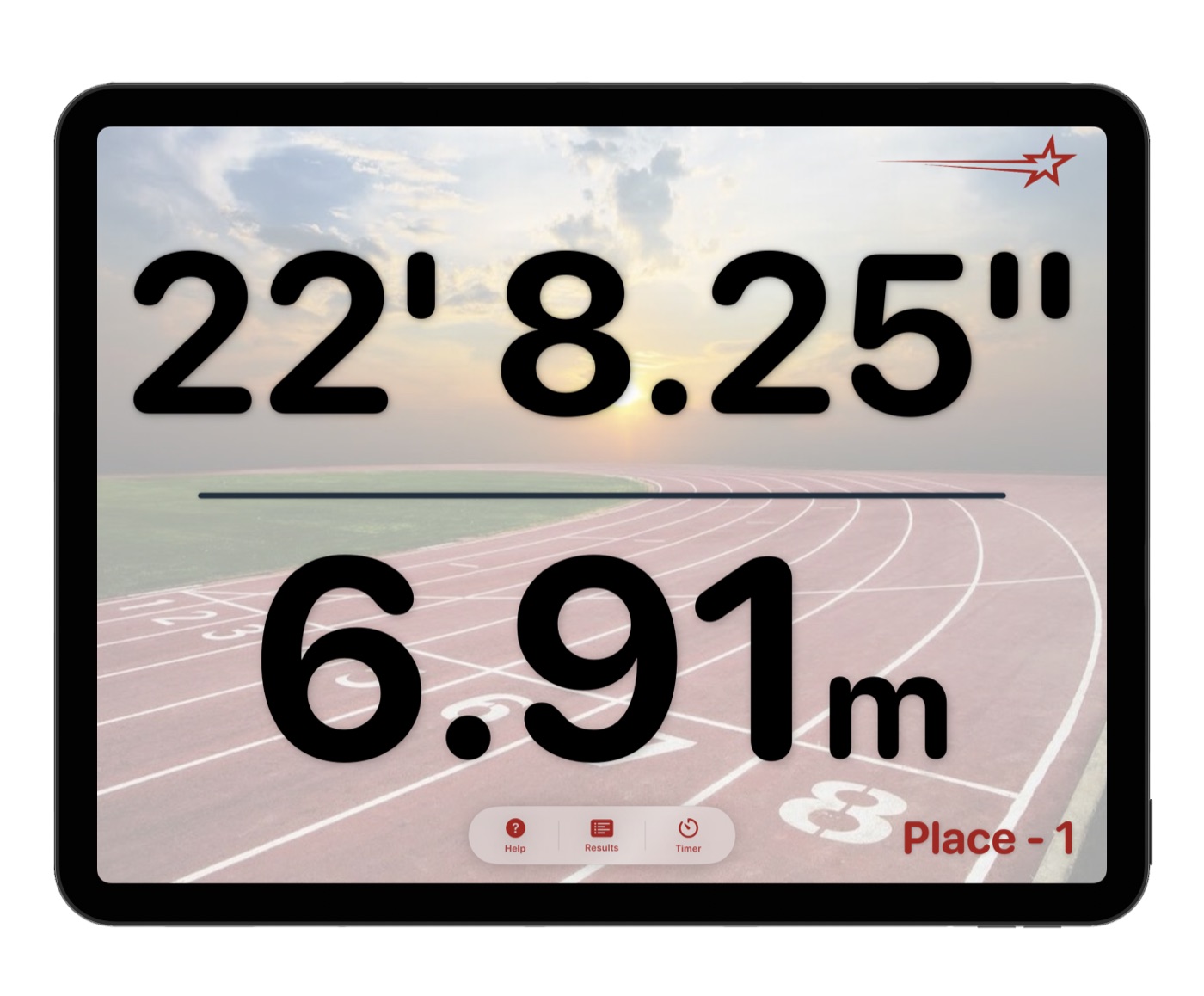
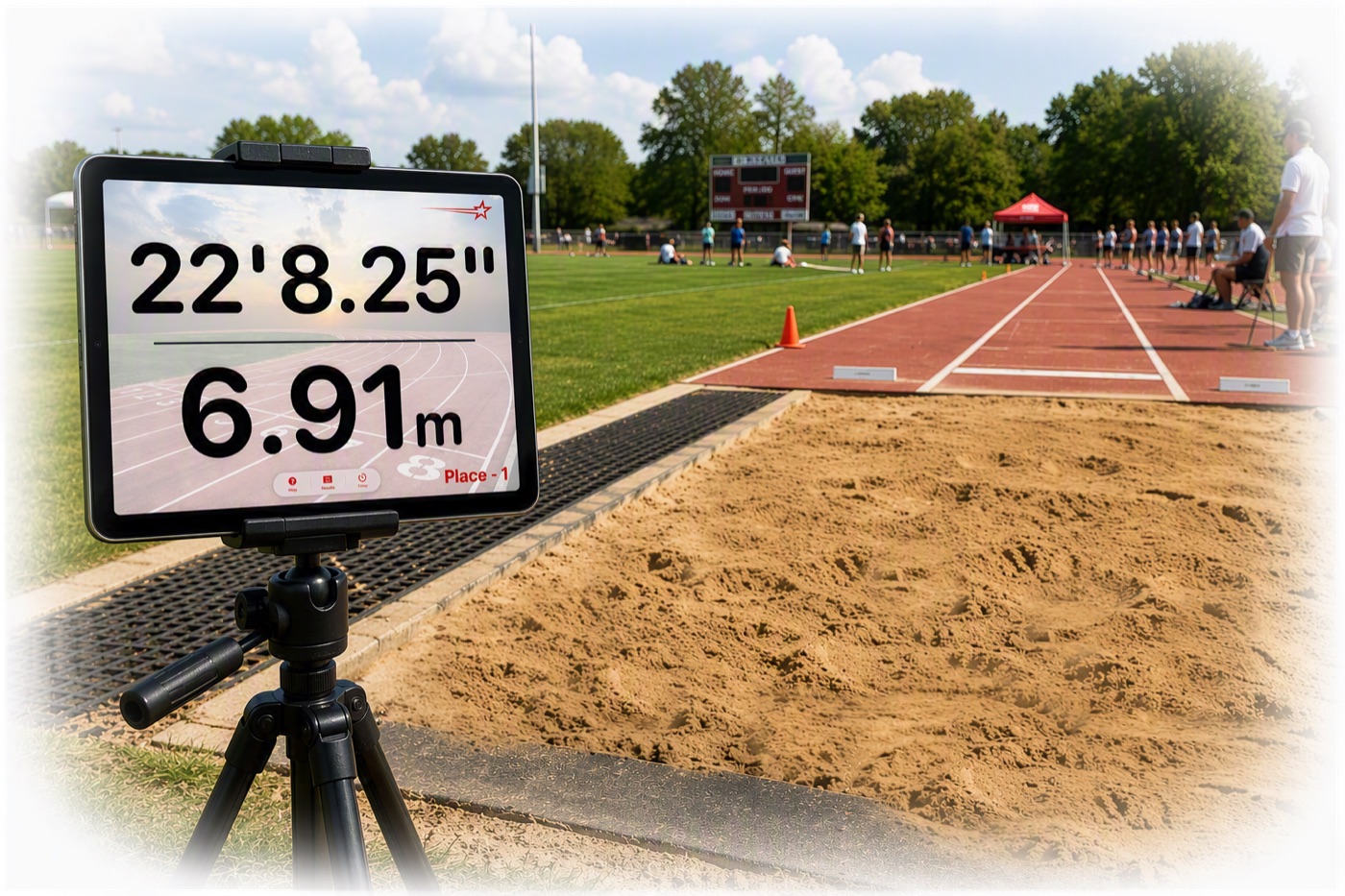
Standard and metric distances and the current place are all on screen the moment the distance is captured, direct from the rangefinder. The mark isn't saved until you're sure of it.
LaserPad showing a distance on an iPad
LaserPad field controller and viewer displays showing the same distance

One controller - multple displays

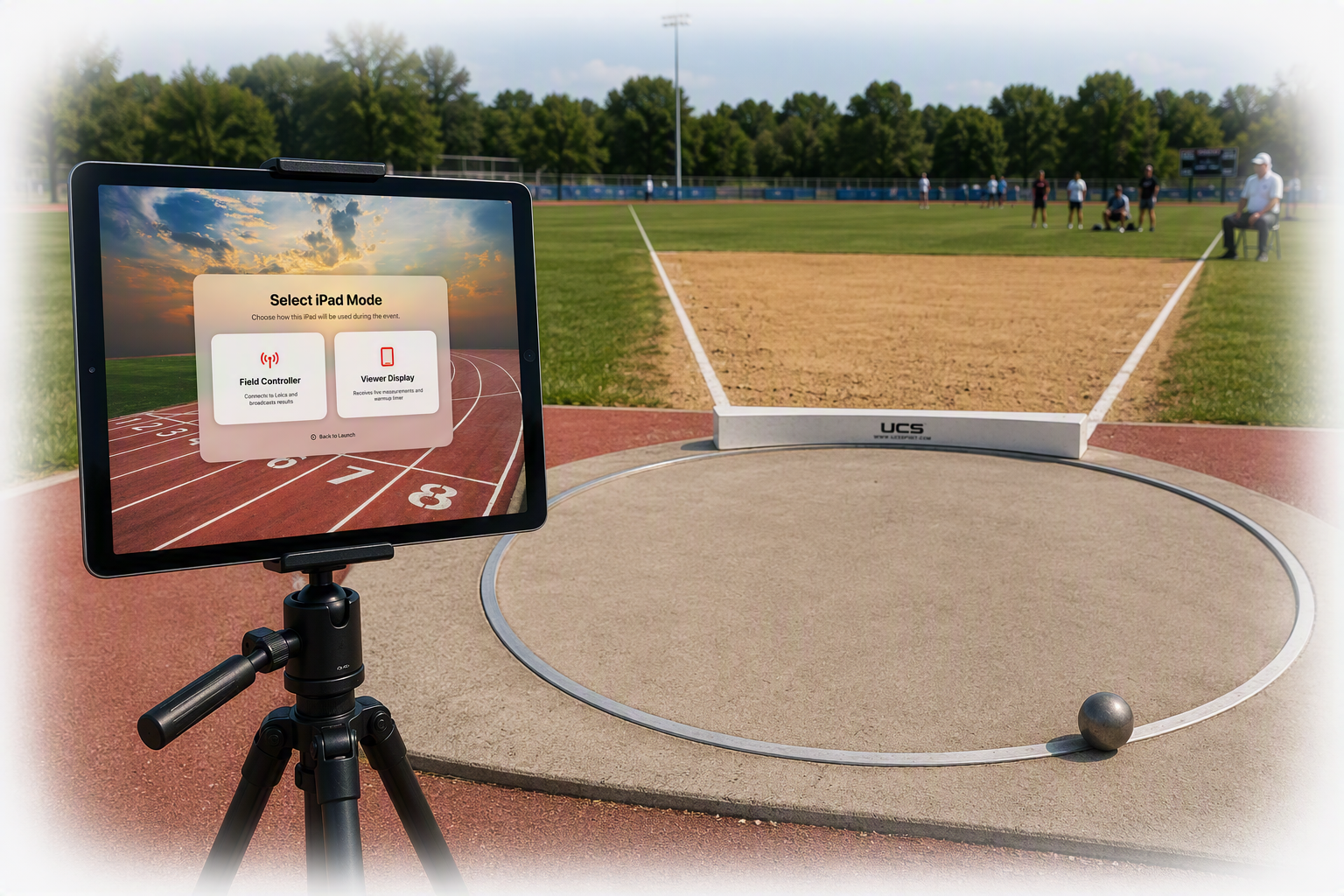
When the app launches you select the mode. The iPad that's Bluetooth-paired to the Leica DISTO runs as the Field Controller. Every other iPad runs as a Viewer Display — a second, third, forth or more screen(s) that simply wait for the next distance and then displays the results.

The controller sends each reading out over WiFi and the viewer displays show the same distance, all at the same time. Put one at the board, one at the scorer's table, one on the infield; they all read alike. All the iPads need is a shared WiFi network — out on the track with nothing else around. Your iPhone's personal hotspot is all you need. Officially and magically.

LaserPad holding a distance on screen before it is saved

Distance - people gotta know, ya know?

The moment the Leica gets a distance and a fair call is made it appears on screen. The distance stays on screen for fifteen seconds.

If you take another reading inside that time, the new distance replaces what's showing and the timer starts over. Nothing is committed until a reading survives the full countdown — only then is it written to the local database. There's no save button and no second-guessing: re-measure as many times as you need, and only the mark you leave on screen counts. Fouls get recorded. Protests get flagged.

LaserPad showing a distance with its place in the lower-right corner

Who has the best jump? Who's leading?

Every recorded distance is compared against every mark already recorded and the place shows in the lower-right corner. The further the jump, the lower number — Place - 1 is the best mark of the competition so far. The athlete, the coaches, and the crowd know where the attempt stands before the official has finished writing it down. Unofficial results of course; till verified after the competition concludes.

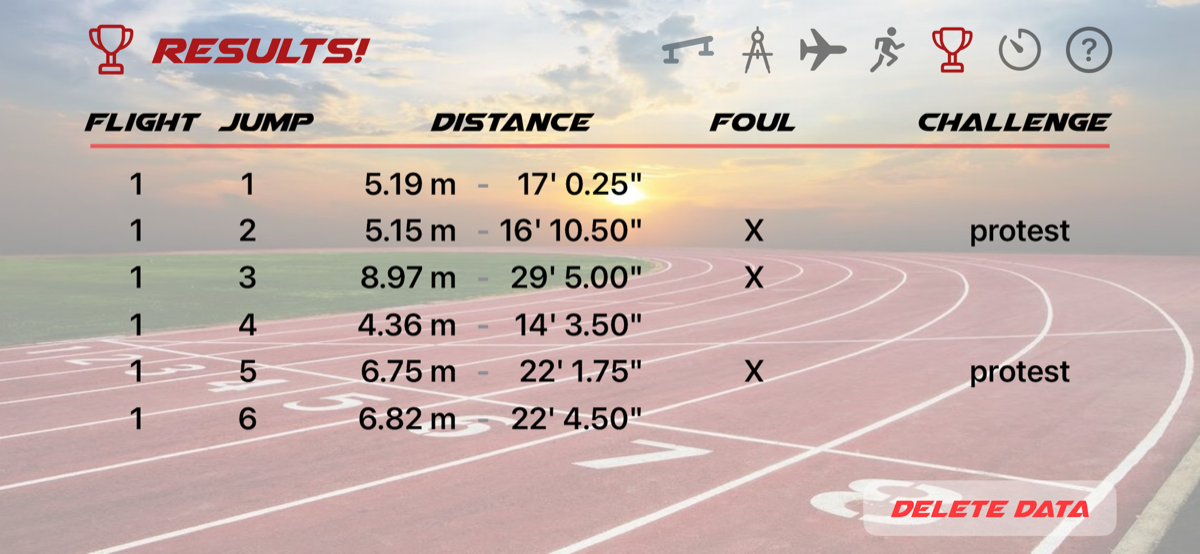
The Results button opens the full record of every distance taken. A competition starts on Flight 1; when that round of athletes is done, open Results and select Flight 2. Every distance can be organized by flight, so each group's marks stay together for the whole event.

LaserPad warm-up countdown on the same displays

Warm-ups on the same screens

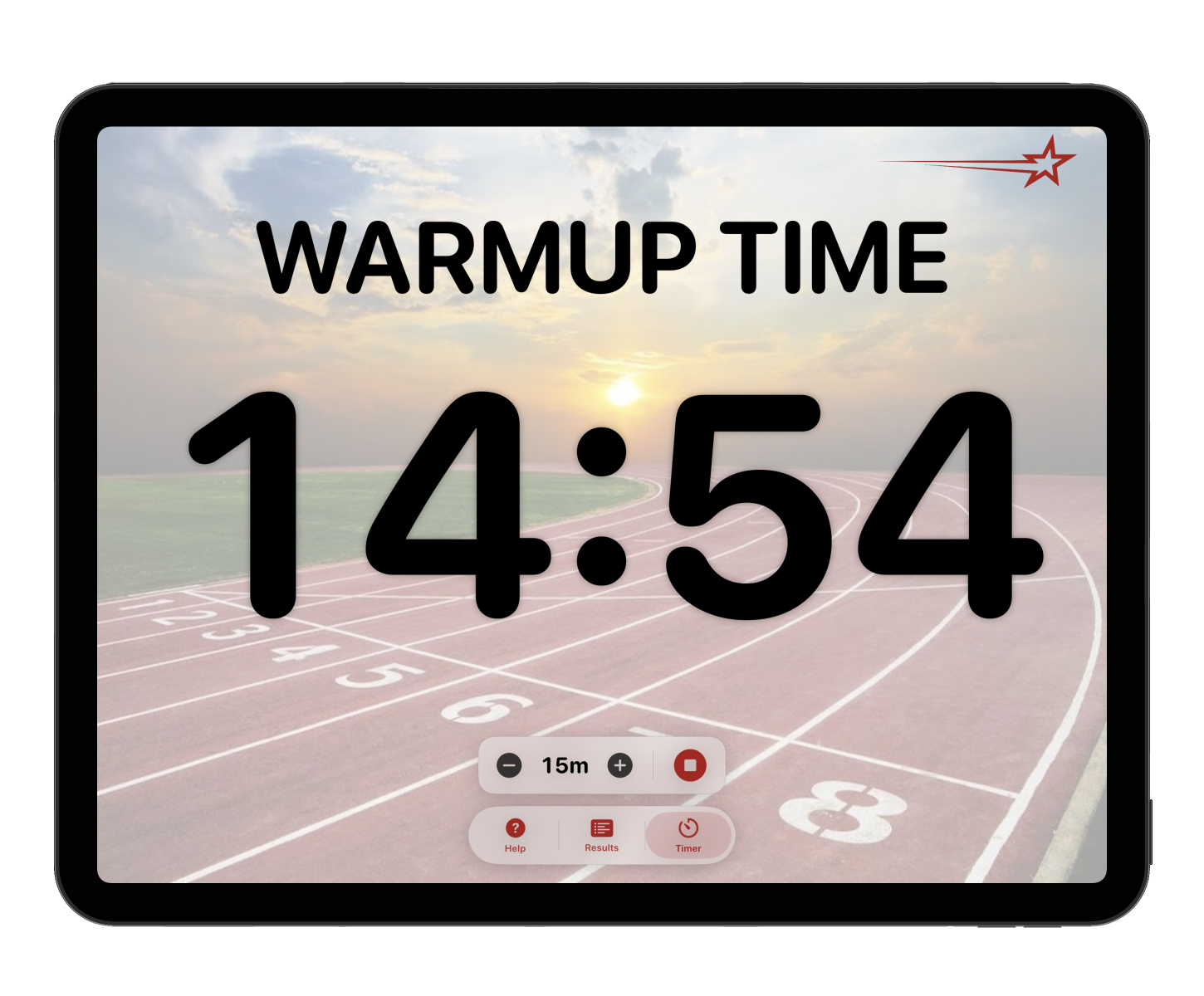
The Warmup button brings up a time you can dial up to whatever the event allows. Press play and the warmup begins The displays show the warmup countdown. Every iPad around the runway shows the same clock. No more, 'How much time do we have left?' It's right there, on display!

When warmups are over, the celebration begins, and it'll be obvious from anywhere on the field. Warmed up? Let's roll!

How it works

1

Choose a mode

On the iPad paired to the Leica DISTO, choose Field Controller. On every other iPad, choose Viewer Display.

2

iPhone Hotspot - it's all you need

Join every iPad to the same WiFi. Away from the track, turn on your iPhone personal hotspot and connect to your hotspot wireless network.

3

Go the distance

Trigger the Leica. The distance lands on iPhone, the controller, and every viewer at once. All efficiently captured for later review.

Why officials choose LaserPad

Built on the Leica DISTO

A Bluetooth pair to a rangefinder officials already trust. The distance goes straight to the iPad with nothing to key in.

As many displays as you want

One controller feeds unlimited viewer iPads over WiFi. Board, table, infield — same info, same instant.

Standard and metric together

Size matters. Every measurement is shown in LARGE font in both notations, imperial and metric all at once, so there's nothing to convert and nothing to misread.

A fifteen-second safety net

A mark isn't committed until it survives the fifteen seconds on screen. Re-measure freely; only the one you commit counts.

Instant ranking on every attempt

Each distance is ranked against the whole recorded database and shown onscreen, so everyone knows who just took the lead.

Results by flight

Select the flight prior to each start on the Results screen and the distances are organized by flight groups, keeping each group's marks together for easy review.

Download the app to your iPad(s) - and keep everyone informed.

Download on the App Store